// visual.proof
Before & After
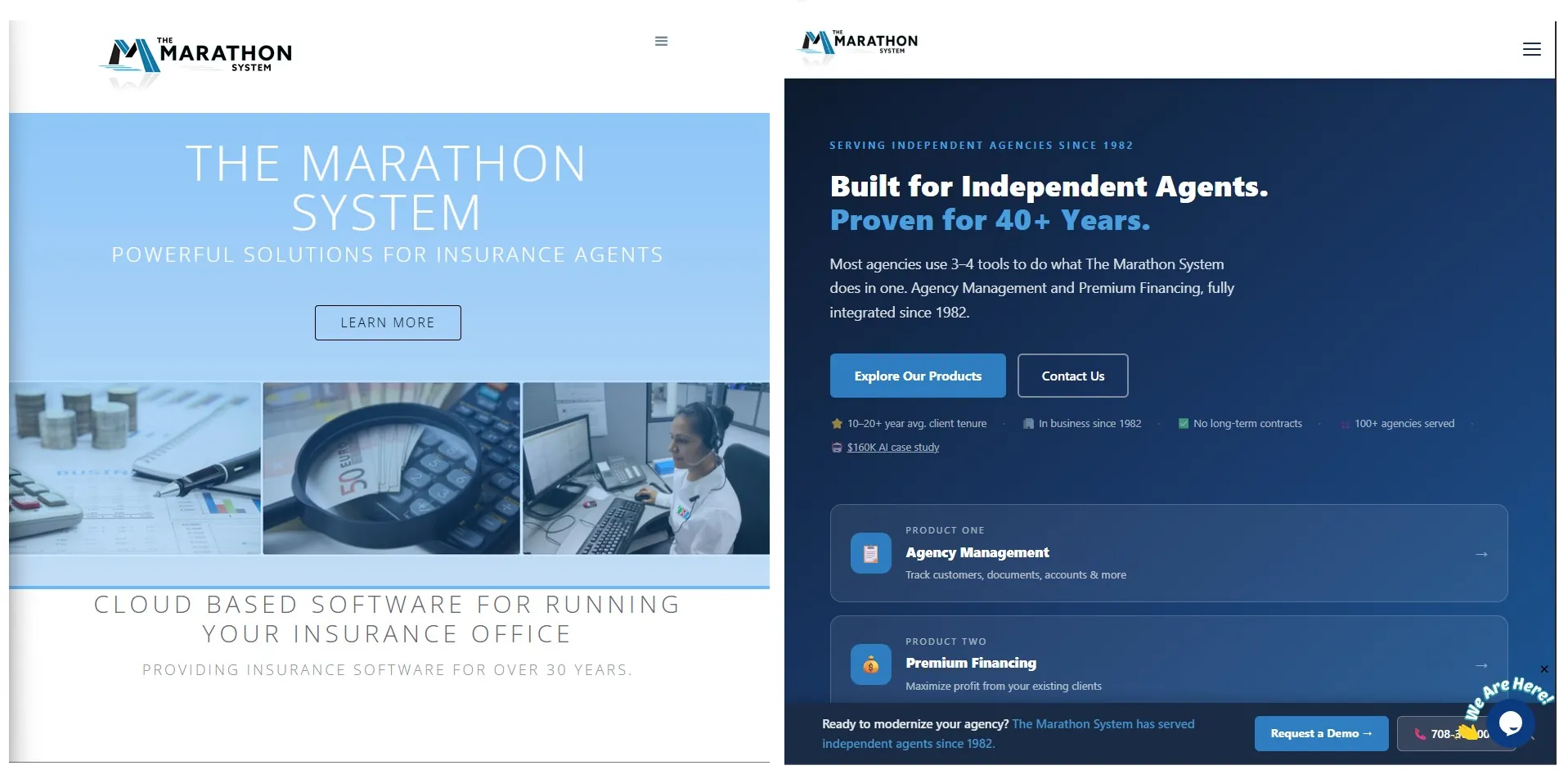
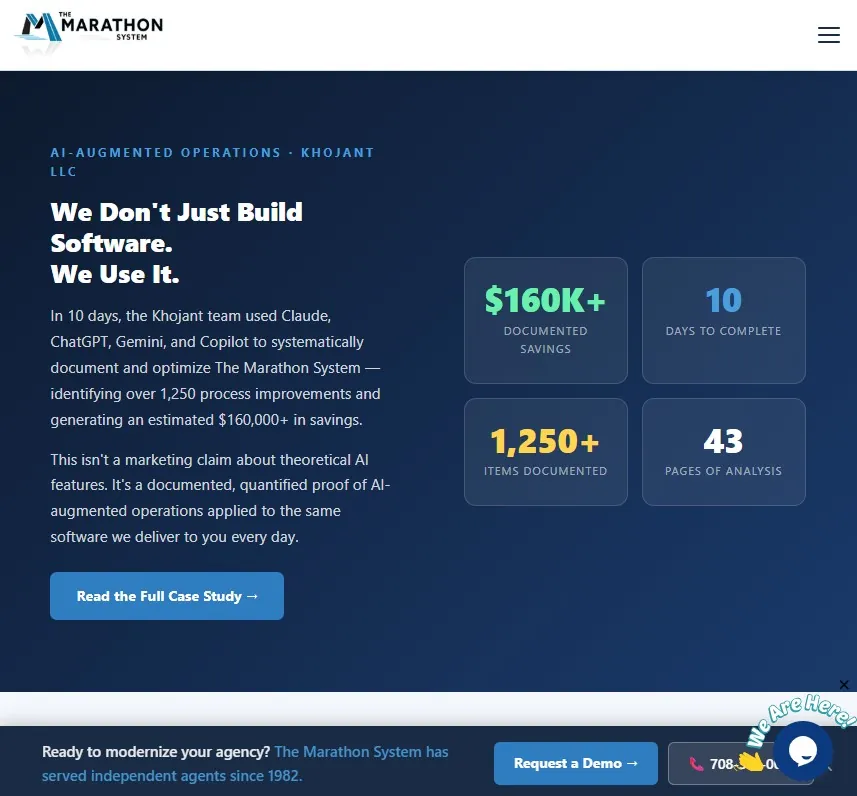
The same business. The same URL. A completely different experience. The rebuilt site introduced a modern responsive layout, polished copy, and a clean code architecture that makes future updates straightforward.
◀ Old Site Side-by-Side Comparison New Site ▶
Full side-by-side — same URL, same business, dramatically different result
⚠ Before — Original Site
Original site — responsive but dated visual design, inline styles, due for a full modernization
✓ After — Rebuilt Site
Rebuilt site — modern responsive layout, clean grid, separated CSS & JS
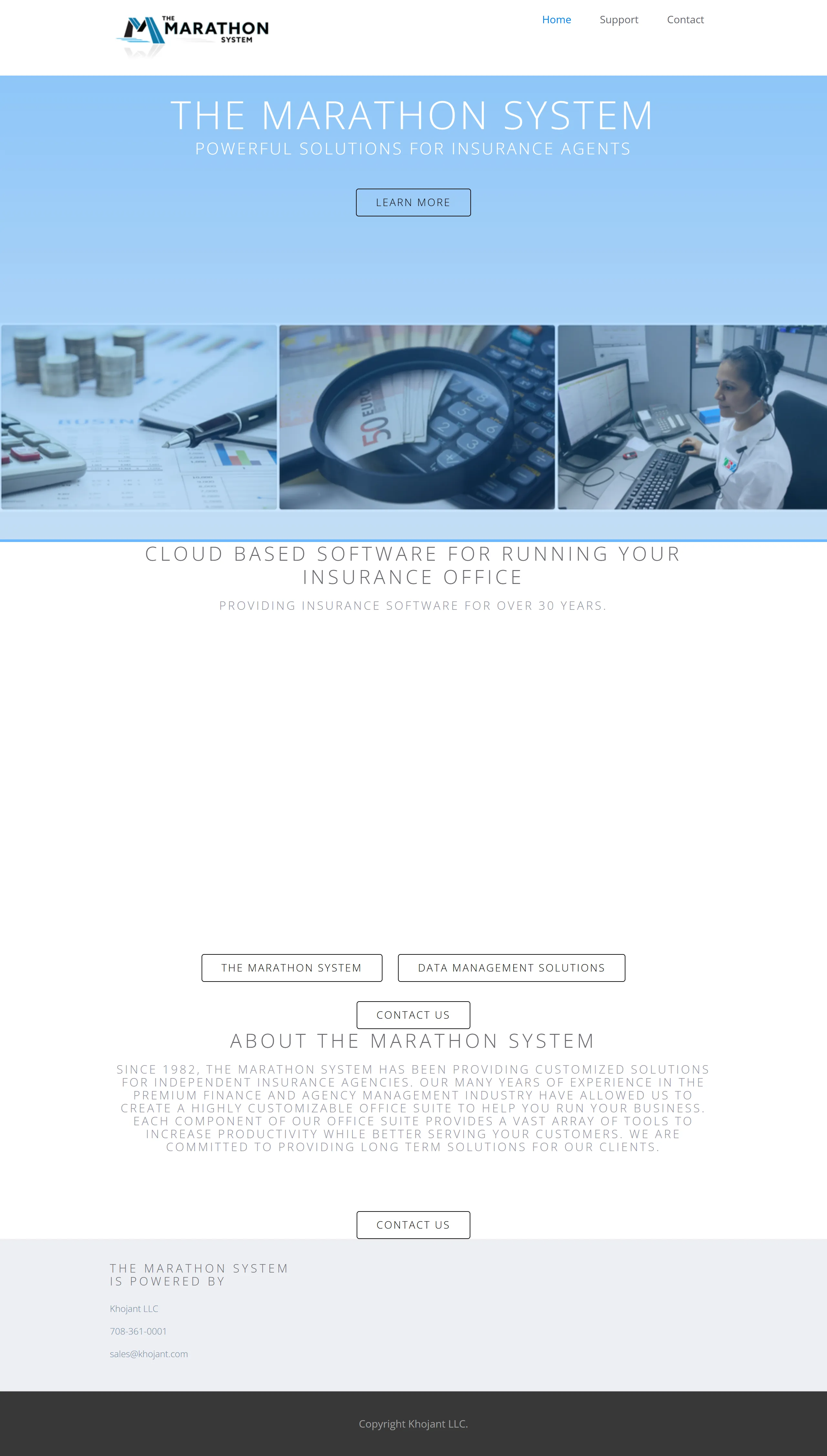
🔍 Close-up: What Needed Fixing
The section that made it obvious a rebuild was overdue — layout issues, dated styling that hadn't aged well
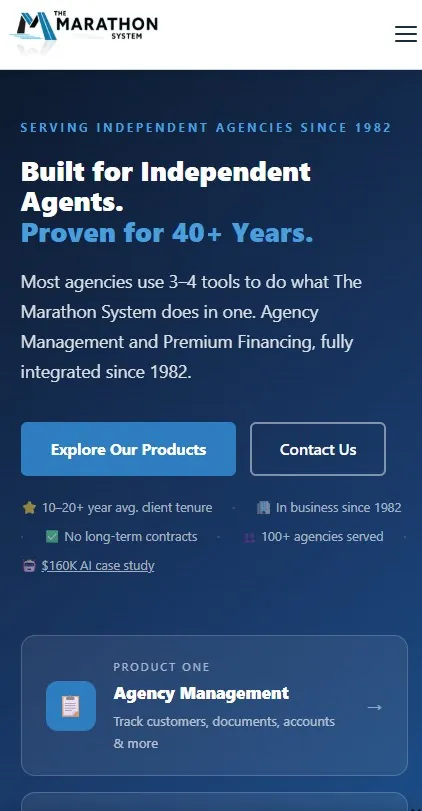
📱 Mobile View — Before & After
Same responsive foundation — modernized layout, cleaner grid, updated typography, improved spacing throughout
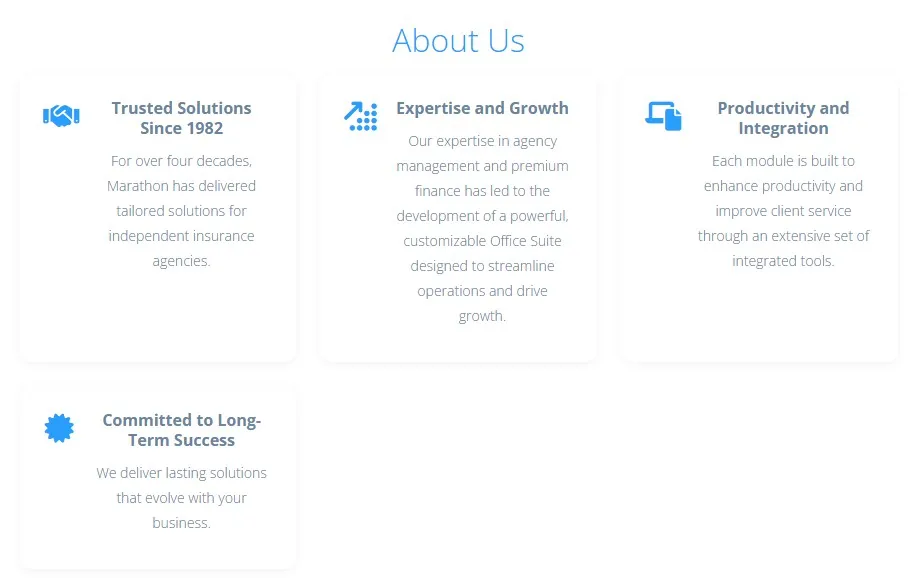
Key Section
Design quality at the detail level — layout, spacing, and copy all working together
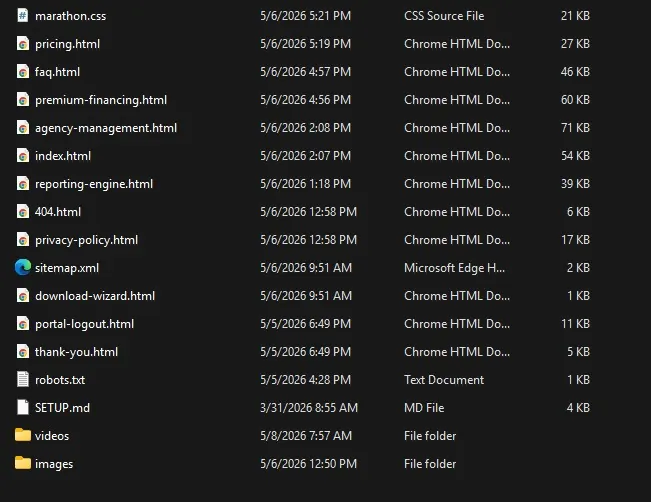
File Architecture
Separate .html, .css, and .js files — clean, maintainable structure
🔗 Navigation Bar — Rebuilt Site
Clean, structured nav — logo left, links right, polished and professional at every viewport width
// outcome
What Was Delivered
The rebuilt MSC FlexOne website represents a substantial leap forward from the original. It demonstrates what a developer with domain expertise, a bootcamp foundation, and precise AI collaboration skills can produce — at a fraction of what traditional development would cost.
🌟
Modern Visual Design
Updated layout, typography, and visual hierarchy that reflects a professional brand. Clean, consistent styling across every page section.
📱
Responsive Design
Layouts built with CSS Grid and Flexbox, tested and refined at desktop, tablet, and mobile breakpoints. No horizontal scrolling; correct stacking at every size.
📁
Clean Architecture
HTML, CSS, and JavaScript in separate files. No inline style blocks. No inline scripts. Clean separation of concerns that makes future updates maintainable.
📖
Polished Copy
Wording and messaging refined through Gemini collaboration. Professional tone that matches the brand's positioning in its market.
🔧
Debugged JS Behavior
Interactive elements work correctly across browsers. Logic-level issues resolved through three-AI collaboration with Jeff directing every fix.
💪
Sharpened Skills
Jeff emerged with deepened skills in responsive design, AI prompting, code architecture, and QA discipline — applied under real production pressure.
This case study itself — built with a responsive layout, clean separated CSS and JS files, and its own dark/light mode toggle — was produced using the same principles documented here.
// cost.analysis
What Did It Actually Cost?
One of the most compelling arguments for AI-assisted development is cost. A full website rebuild with responsive design, modern layout, clean file architecture, and polished copy would typically require a professional agency or freelance developer. Here's how the numbers compare.
🤖 AI-Assisted Rebuild
~$150
3–4 months of AI subscriptions + Jeff's time
VS
🏢 Traditional Agency / Freelancer
$5K–$15K
Typical cost for an equivalent custom site build
AI Subscription Costs
All three tools used under standard monthly subscription plans. No enterprise or API pricing required.
| Tool |
Plan |
Monthly Cost |
Est. Months Active |
Estimated Total |
| Claude (Anthropic) |
Pro |
~$20 |
3–4 months |
~$60–$80 |
| Gemini Advanced (Google) |
Google One AI Premium |
~$20 |
2–3 months |
~$40–$60 |
| ChatGPT (OpenAI) |
Plus |
~$20 |
1–2 months |
~$20–$40 |
| Total AI Subscription Cost |
~$120–$180 |
Traditional Development Cost Comparison
Equivalent scope through a professional agency or experienced freelancer.
| Deliverable |
Agency Rate |
Freelance Rate |
Est. Hours |
Est. Cost |
| Site design & layout |
$100–$150/hr |
$65–$100/hr |
15–25 hrs |
$975–$3,750 |
| Visual design & typography system |
$100–$150/hr |
$65–$100/hr |
5–8 hrs |
$325–$1,200 |
| Responsive design & breakpoints |
$100–$150/hr |
$65–$100/hr |
8–12 hrs |
$520–$1,800 |
| CSS / JS file architecture |
$100–$150/hr |
$65–$100/hr |
4–6 hrs |
$260–$900 |
| Copywriting & messaging |
$75–$125/hr |
$50–$80/hr |
6–10 hrs |
$300–$1,250 |
| QA, testing & revisions |
$100–$150/hr |
$65–$100/hr |
8–15 hrs |
$520–$2,250 |
| Total Estimated Traditional Cost |
$2,900–$11,150 |
AI Tools Spent
~$150
3–4 months of subscriptions across Claude, Gemini & ChatGPT
Traditional Equivalent
$5K–$15K
Agency or freelancer cost for equivalent scope and quality
Estimated Savings
97–99%
Cost reduction vs. outsourcing — without sacrificing quality or ownership
Hidden Cost
Time
Jeff's hours directing, reviewing, and correcting AI output — but that time built lasting skills
The real cost of AI-assisted development isn't the subscription fee — it's the time and expertise required to direct it well. Jeff's engineering background and bootcamp training meant that time was spent productively, not learning from scratch.
// the.story
A Developer Takes the Build Further with AI
Jeff Hojka is a developer with 35+ years of software engineering experience and a completed web development bootcamp. He built the original MSC FlexOne website (www.mscflexone.com) applying those bootcamp skills directly. The site was functional, but modern expectations for responsive design, updated visual design, clean code architecture, and cross-device performance demanded more — and Jeff decided to push it further using AI collaboration.
Rather than outsourcing to a traditional agency, Jeff leveraged multiple AI assistants as collaborative development partners. His developer instincts and bootcamp-sharpened front-end knowledge let him direct, review, and correct AI output at every stage. The project demonstrated how a developer who communicates precisely with AI tools can produce a professional-grade result faster than either could alone.
The key to Jeff's approach was communicating with each AI using specific technical language — referencing elements by id, class, and HTML markers — directing surgical changes rather than broad rewrites. His bootcamp training gave him the vocabulary; his engineering background gave him the judgment to know when something was wrong.
"Jeff brought a developer's eye to every AI-generated change — reviewing output, catching regressions, rolling back when needed, and pushing each assistant further than it would have gone on its own. Each step was inspected to make sure nothing broke."
3
AI Assistants Used
2
Full Restores from Backup
2
Display Modes
35+
Years Engineering Experience
// the.ai.team
Three Assistants, Three Distinct Roles
No single AI handled everything. Each was chosen for the tasks where it performed best, and each required meaningful guidance and correction from Jeff to deliver usable results.
◆ Claude
Primary Role
Designer & Architect
- Primary site design and layout
- Modern visual design and layout system
- Responsive design structure
- HTML page construction across all sections
- Architectural advice on CSS/JS separation
Known Weakness: Persistent tendency to write all HTML, CSS, and JS inline in a single file. Also responsible for two site-breaking UTF-8 encoding issues that required full backup restores.
◆ Gemini
Supporting Role
Copy & CSS Specialist
- Refining site wording and messaging
- Resolving specific CSS issues Claude could not fix
- Polishing language and tone across pages
- Secondary problem-solving for front-end layout
Best For: Language clarity and CSS edge cases that stumped Claude. Required coaching but generally delivered cleaner prose and targeted style fixes.
◆ ChatGPT
Supporting Role
Problem Solver
- Resolving technical issues neither Claude nor Gemini could complete
- Debugging logic-level problems in JS behavior
- Cross-validation of approaches suggested by other AIs
Best For: Acting as a tiebreaker or escalation path when the other two assistants had reached their limits on a specific problem.
// project.phases
How the Build Unfolded
The rebuild happened in iterative stages. After each stage, Jeff reviewed the output, tested it in the browser, and determined what needed coaching or correction before moving forward.
🏠
Phase 1 — Foundation
Original Site Assessment
Jeff analyzed the existing mscflexone.com site built from his bootcamp training. Key gaps identified: all styles inline, dated visual design, and no separation of concerns between HTML, CSS, and JavaScript. The site had responsive design but the layout and visuals needed a full modernization.
🌟
Phase 2 — Design System
Claude: Visual Design & CSS Architecture
Claude was brought in to establish the core design system — CSS custom properties (variables) for colors, spacing, and typography that kept the styling consistent and easy to update globally. This formed the foundation all subsequent work built on top of.
Jeff coached Claude on which elements to target, using id, class, and tag-level selectors to make precise adjustments without breaking adjacent sections.
📱
Phase 3 — Responsive Layout
Claude: Modernizing the Responsive Grid
The existing responsive layout was rebuilt on a modern foundation using CSS Grid and Flexbox, replacing the older approach with cleaner, more maintainable structure. Claude handled the layout scaffolding while Jeff tested each breakpoint visually and directed specific corrections. Media queries were refined at tablet and mobile thresholds to improve stacking, spacing, and readability across all screen sizes.
📝
Phase 4 — Content & Copy
Gemini: Wording & Messaging Refinement
Gemini was introduced to refine page copy — headlines, section descriptions, calls to action. Claude's generated text was often functional but lacked marketing tone. Gemini produced stronger, more natural language with appropriate coaching on brand voice and audience.
🔧
Phase 5 — CSS Fixes
Gemini: Resolving Claude's CSS Gaps
Several CSS issues remained after Claude's work — sticky element layering, transition behavior, and certain layout edge cases. Gemini was able to resolve these with targeted CSS patches. Jeff reviewed each fix against the live site to confirm no regressions.
🔍
Phase 6 — Debugging
ChatGPT: Escalated Problem Solving
Where both Claude and Gemini failed to resolve specific JavaScript behavior or logic-level issues, ChatGPT was brought in as a final escalation path. It acted as a cross-validation layer and resolved issues that the other two assistants had mishandled or ignored.
📁
Phase 7 — Architecture Cleanup
Claude: Separating CSS and JavaScript into Files
After diagnosing the root cause of Claude's UTF-8 corruption issues, Jeff directed Claude to extract all <style> blocks into a dedicated .css file and all <script> blocks into a .js file. This resolved the encoding fragility and produced a properly separated codebase.
✅
Phase 8 — Final Review
Jeff: Full Site Validation
Every page was reviewed across desktop, tablet, and mobile. Each interaction was tested manually. No AI-generated changes were shipped without Jeff's review and sign-off.
// obstacles.and.solutions
The Real Challenges of AI-Assisted Development
This project was not a smooth, linear process. Each AI had blind spots, and many issues required multiple attempts, hand-correction, or switching assistants entirely. The following were the most significant challenges encountered.
⚠ UTF-8 Encoding Corruption — Two Full Restores
⚠ Challenge
Claude introduced UTF-8 encoding characters into the HTML/CSS output on two separate occasions. These invisible characters broke the site's rendering in unexpected ways. The corruption was difficult to detect visually and required full rollback to saved backups both times.
✓ Solution
Jeff asked Claude directly why this kept happening. Using that explanation, he instructed Claude to audit and strip all non-standard UTF-8 characters from the codebase. Following this, Jeff moved to properly separated CSS and JS files — which also reduced the surface area for this class of error.
⚠ Claude's Insistence on Inline Code
⚠ Challenge
Claude's default behavior was to embed all CSS inside <style> tags and all JavaScript inside <script> tags within each HTML file. This is poor practice for a multi-page site: it duplicates code, makes global updates difficult, and introduces encoding errors more easily.
✓ Solution
Jeff explicitly directed Claude to extract all styles into a style.css file and all scripts into a script.js file, then replace the inline blocks with proper <link> and <script src> references. This required persistent instruction on each new page.
⚠ Every AI Needed Significant Coaching
⚠ Challenge
None of the three AI assistants produced correct, production-ready output on the first attempt. Each required repeated prompting, targeted corrections, and sometimes multiple full rewrites of sections. The AI-as-magic-wand expectation does not match reality.
✓ Solution
Jeff developed a precise communication style: referencing specific elements by id, class name, and tag structure rather than describing intent vaguely. This allowed each AI to make surgical changes rather than rewriting entire sections.
⚠ Inter-AI Style Conflicts
⚠ Challenge
When Gemini or ChatGPT made changes to code originally produced by Claude, stylistic and structural inconsistencies could appear. Each AI has its own formatting preferences, naming conventions, and approach to CSS specificity.
✓ Solution
Jeff reviewed every handoff carefully, checking that new additions followed existing conventions. Where drift was detected, he directed the active AI to match the established patterns — using the existing code as a reference template in the prompt.
The two full backup restores were pivotal moments. Rather than being setbacks, they taught Jeff to ask why the problem occurred — and to use that explanation as the basis for a permanent architectural fix.
// takeaways
Key Lessons Learned
-
1
AI is a tool, not a replacement for human oversight
Every AI output required review. Shipping without checking produced two site-breaking failures. The human in the loop was the quality gate for the entire project.
-
2
Precise language unlocks precise results
Vague instructions produced bloated rewrites. Referencing specific ids, classes, and HTML markers produced surgical, reliable changes.
-
3
Ask the AI why things went wrong
After the second backup restore, Jeff asked Claude to explain the UTF-8 issue. That explanation became the basis for a permanent architectural fix — something that wouldn't have happened without asking.
-
4
No AI does everything well
Claude designed the site. Gemini polished the words and solved CSS edge cases. ChatGPT resolved what the others couldn't. Knowing each tool's strengths saved significant time.
-
5
Inline code is a trap at scale
Claude's default of writing everything inline works for a demo but fails for a real site. Insisting on proper file separation early would have prevented significant rework.
-
6
Backups are not optional
Two full restores were necessary. Without maintained backups at each milestone, the project would have lost days or weeks of work to AI-introduced corruption.
-
7
Developer skills plus AI prompting is a powerful combination
Jeff's bootcamp training and engineering background meant he could communicate with AI precisely, catch errors quickly, and make architectural decisions confidently. AI amplified his existing skills rather than replacing them.
// developer.growth
How Jeff's Skills Evolved
Perhaps the most significant outcome of this project was not the website itself, but Jeff's growth as a developer. Coming in with a bootcamp foundation and 35+ years of software engineering, the AI collaboration sharpened his front-end architecture skills in ways that pure coursework rarely does — by applying them under real production pressure.
| Skill Area |
Before Project |
After Project |
| HTML Structure |
Bootcamp-level page markup; structural HTML applied to course projects |
Deep targeting of specific elements by id, class, and tag — directing AI changes at the element level without full rewrites |
| CSS |
Bootcamp CSS applied to course projects; primarily inline or single-file styles |
External stylesheets, CSS custom properties for consistent design tokens, responsive media queries across all breakpoints |
| JavaScript |
Bootcamp JS; event handling and API calls in course exercises |
Externalized .js files, coordinated AI fixes at the function level, cross-browser behavior validated |
| Responsive Design |
Bootcamp-level responsive principles; applied to single-page layouts |
Multi-page Grid and Flexbox layouts with tested breakpoints at mobile and tablet widths |
| AI Prompting |
No prior AI-assisted development experience |
Precise, element-specific prompts referencing code identifiers; diagnostic questioning when issues arose; multi-AI orchestration |
| QA & Review |
Developer-level code review; manual testing of course projects |
Step-by-step AI change review, disciplined backup checkpoints, cross-mode and cross-device regression testing |
| Code Architecture |
Bootcamp projects often single-file; multi-file structure understood but not applied at scale |
Fully separated .html, .css, and .js files across a multi-page production site |