// executive.summary
Executive Summary
In 3 days, Jeff Hojka — working alone — used three AI tools (ChatGPT, Google Gemini, and Claude) to design, code, and deploy a fully custom business website for Khojant LLC. The finished site comprises 12 HTML pages, 11 CSS stylesheets, and 4 JavaScript files, built entirely without a CMS or website platform. It includes automatic light and dark mode that adapts to each visitor's browser preference, animated backgrounds, a live contact form, Google Analytics, and full SEO infrastructure — the kind of site a professional web agency would quote at $9,000–$25,000+ and deliver over several weeks.
This is Jeff's second AI-assisted website build. This case study examines what was built, how three AI tools were combined to achieve it, the realistic cost of doing it without AI, and what the project reveals about effective AI-directed development.
About the Builder: Jeff Hojka
Founder of Khojant LLC and architect of The Marathon System. Jeff has spent over 35 years building mission-critical software for independent insurance agencies — pioneering cloud-hosted office management since 1982. His expertise spans custom application development (Clarion, C/C++/C#), cloud infrastructure (AWS, HyperV), and end-to-end system integrations. This project demonstrates that expertise applied through AI-augmented development — his second AI-assisted website.
// background
Background: Where the Site Started
Before the redesign, Khojant.com was built on Webflow — a third-party CMS platform with monthly fees, limited customization, and a visual design that had grown dated. The site carried ongoing platform costs, lacked dark mode entirely, and couldn't be modified at the code level without working around Webflow's constraints. It was time for a clean break.
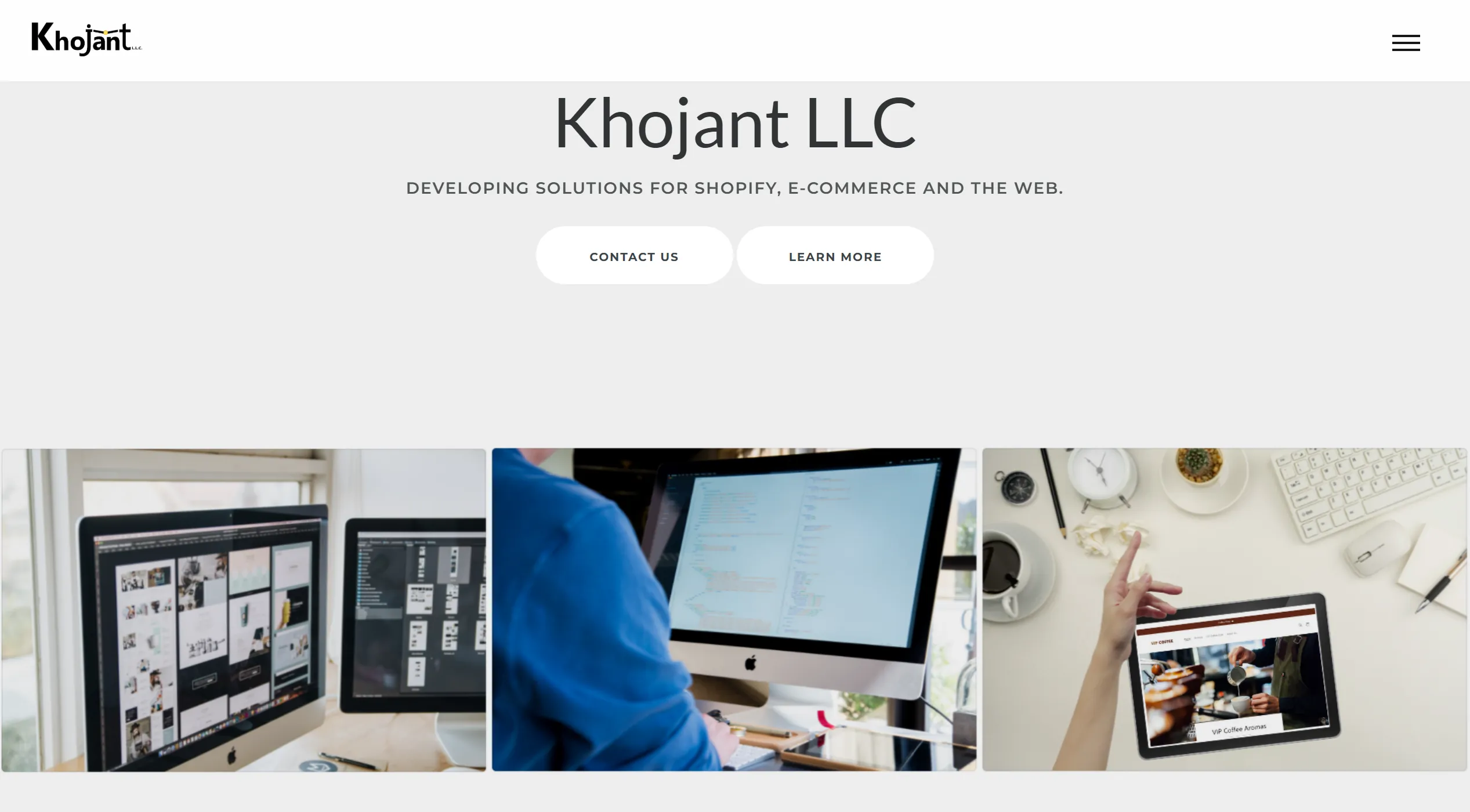
The Old Site — Desktop
The original Khojant.com as it appeared in a full desktop browser. Click the image to view the complete page.
www.khojant.com — Original Site
⤢ View Full Page
A Dated Visual Presentation
Even at a glance, the old site communicated a look that belonged to an earlier era of web design — heavy use of stock imagery overlays, generic layout patterns, and no adaptive color scheme.
// The original site's hero section — no dark mode, dated visual language, Webflow platform constraints
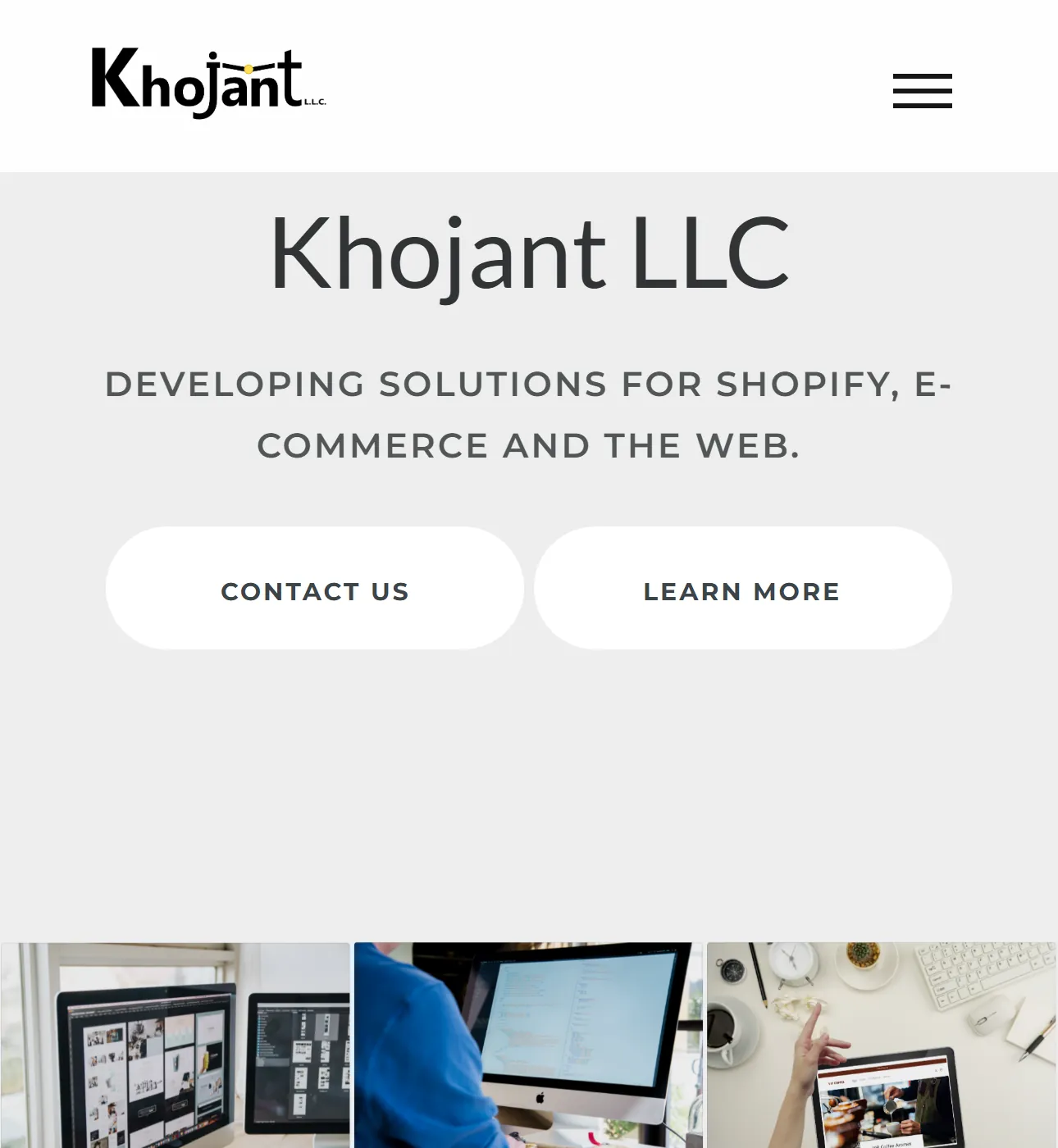
Mobile — Before & After
The old and new sites as they appear on a mobile device. Click either frame to explore the full length of each.
✗ OLD SITE
khojant.com — original
⤢ Full Page
✓ NEW SITE
khojant.com — redesigned
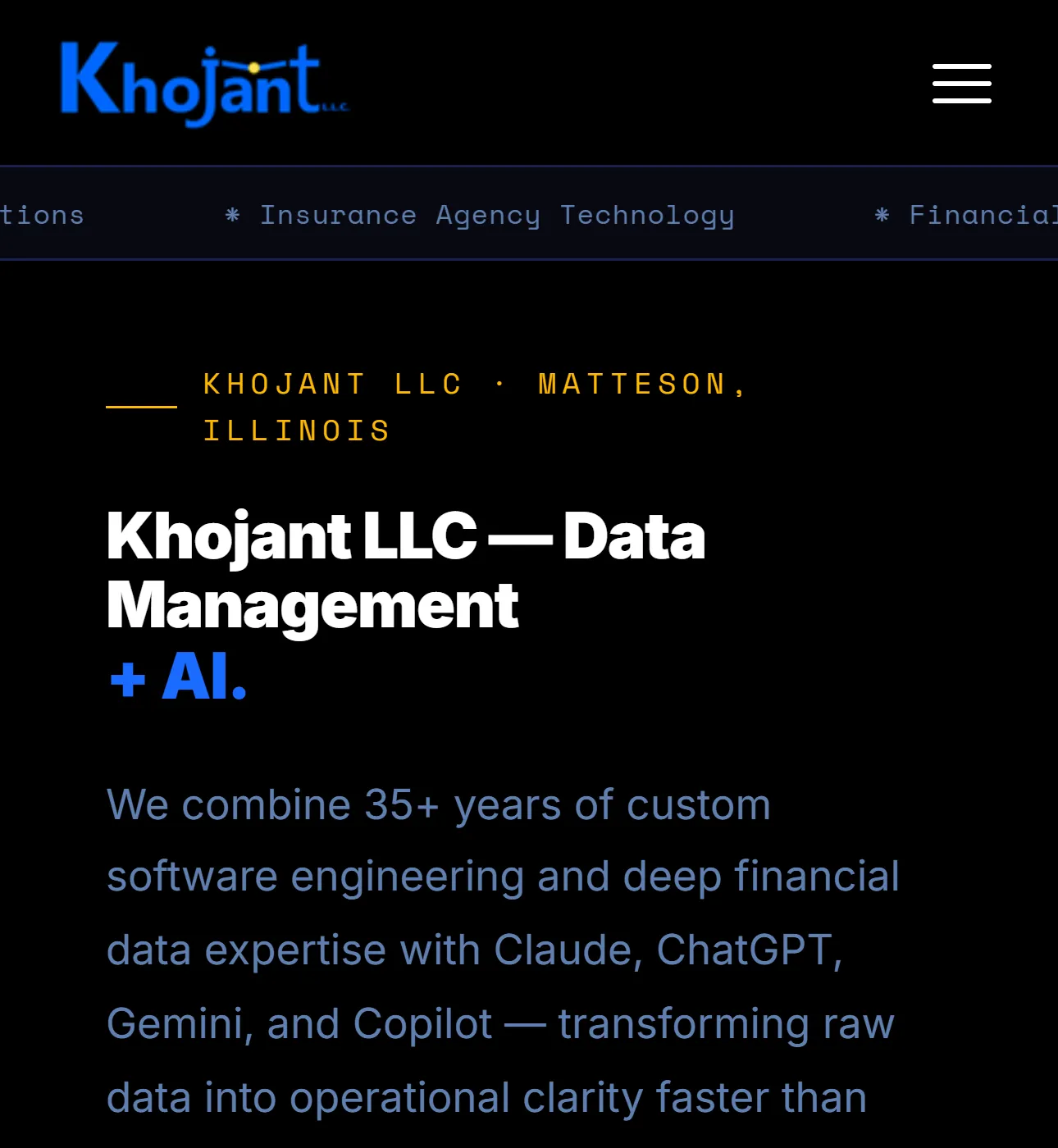
⤢ Full Page
// deliverables
What Was Built: The New Khojant.com
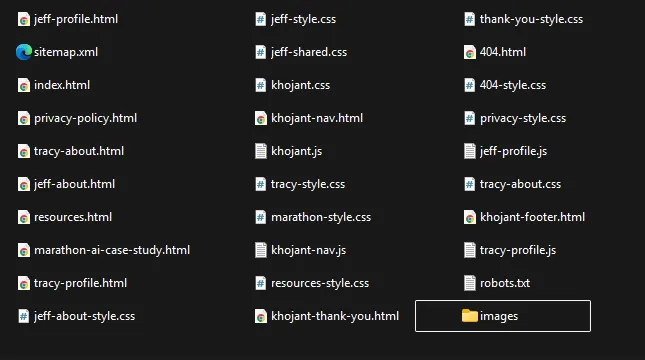
The result is a fully hand-coded, platform-independent business website — no Webflow, no WordPress, no monthly CMS fees. Every file was generated through AI-assisted development and reviewed, refined, and approved by Jeff. The site is self-contained, fast, and deployable to any standard web host.
The New Site — Full Desktop View
The completed Khojant.com. Click the image to explore every section.
www.khojant.com — Redesigned · Data Management Experts
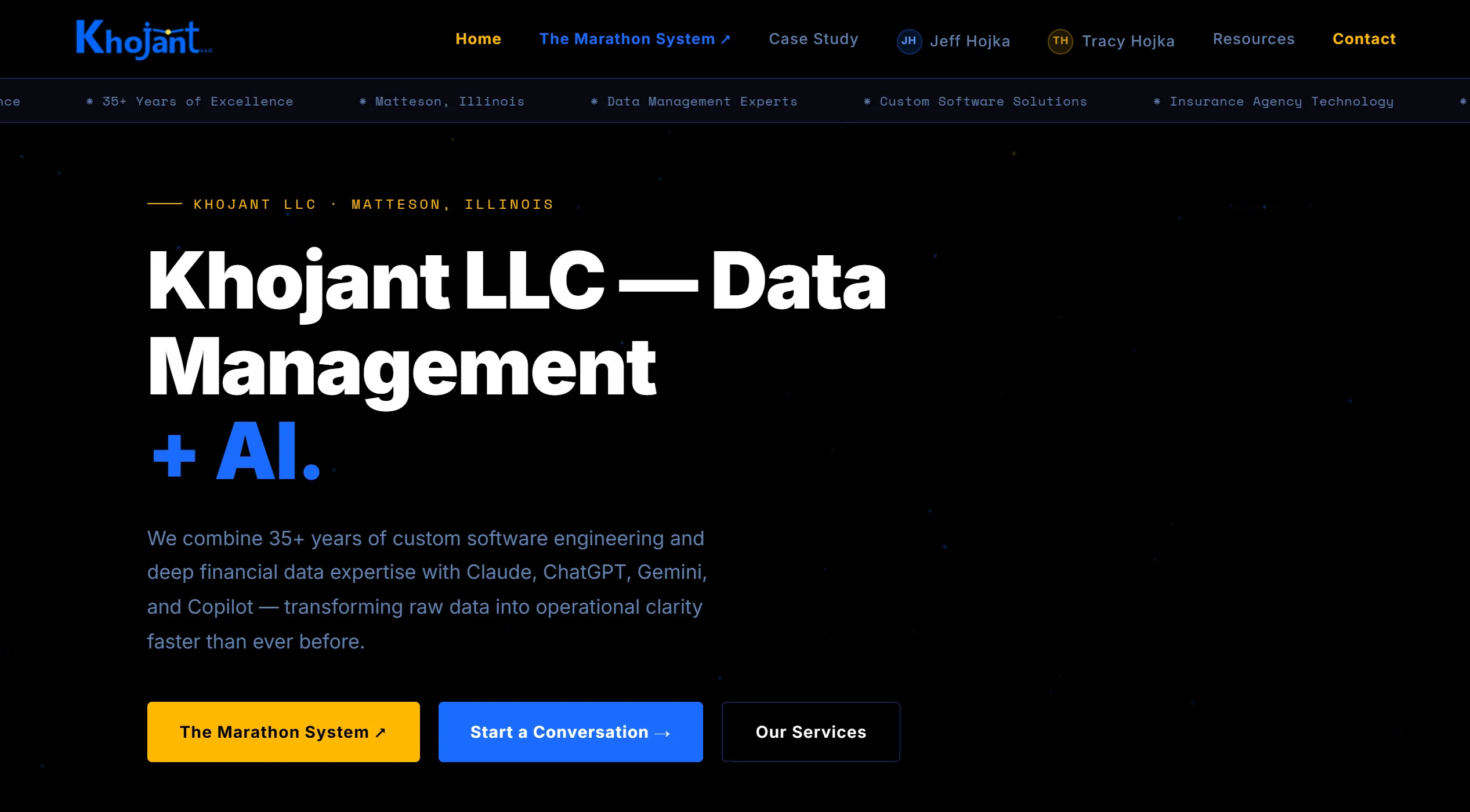
⤢ View Full Page
Improved Visual Quality
The new site delivers a modern, professional aesthetic — animated canvas background, sharp typography, and a design system that works equally well in light and dark modes.
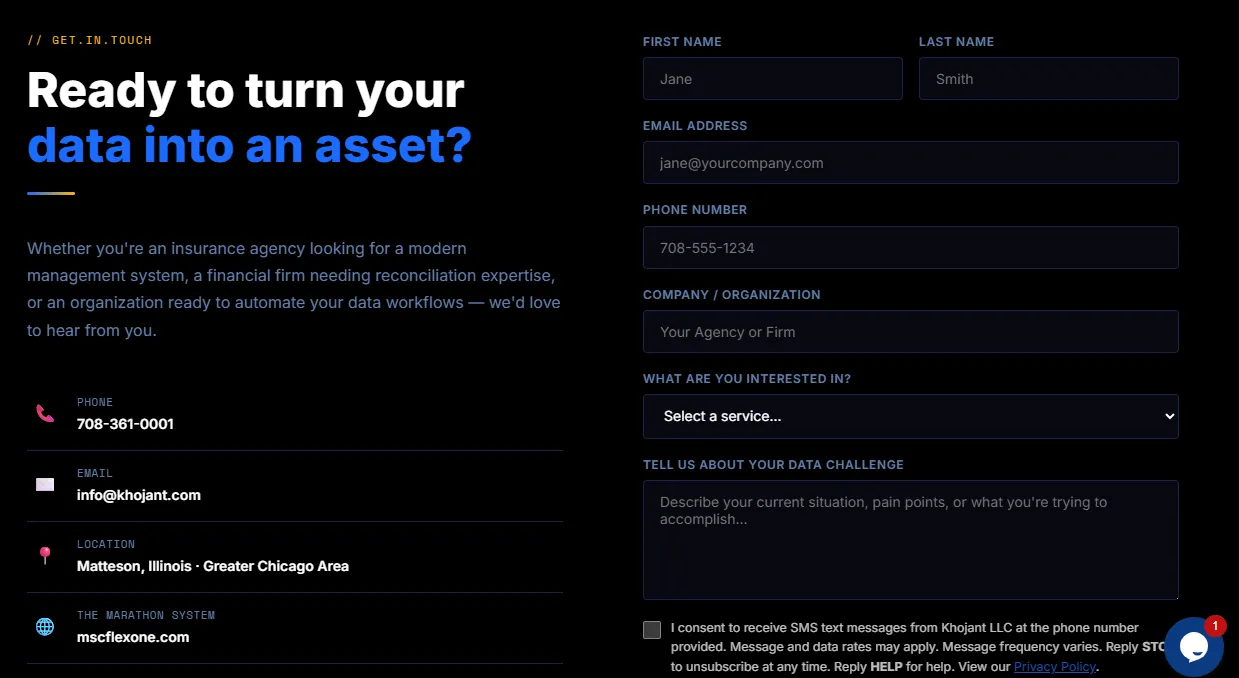
// Modern design language — custom animations, consistent type scale, and adaptive color system
Navigation System
A shared navigation component is injected via JavaScript across all 12 pages, ensuring that any update to the nav propagates everywhere instantly without touching individual files.

// Shared nav component — updated in one file, reflected across all 12 pages
Page Inventory
| Page / Component | File | Purpose |
|---|
| Homepage | index.html | Primary landing page, services, team, contact |
| Jeff Hojka — Profile | jeff-profile.html | Full professional portfolio page |
| Jeff Hojka — About | jeff-about.html | Expanded biography and background |
| Tracy Garon Hojka — Profile | tracy-profile.html | Professional profile page |
| Tracy Garon Hojka — About | tracy-about.html | Expanded biography and background |
| Resources | resources.html | Client and partner resource hub |
| Marathon AI Case Study | marathon-ai-case-study.html | AI project case study |
| Privacy Policy | privacy-policy.html | Legal / GDPR-compliant privacy page |
| Thank You | khojant-thank-you.html | Post-form-submission confirmation |
| 404 Error Page | 404.html | Custom branded error page |
| Shared Navigation | khojant-nav.html + .js | Injected nav across all pages |
| Shared Footer | khojant-footer.html | Injected footer across all pages |
Technical Features
- Automatic light & dark mode — reads each visitor's OS/browser preference via CSS
prefers-color-scheme and switches themes instantly, with no user interaction required
- Animated canvas background — a particle and line animation rendered in HTML5 Canvas runs site-wide without impacting performance
- Live contact form — powered by EmailJS and secured with Google reCAPTCHA v3, with no backend server required
- Google Analytics GA4 — full event tracking across all pages
- JSON-LD structured data — Organization schema on the homepage, Article schema on case study pages
- Open Graph and Twitter Card metadata — proper social sharing previews on every page
- XML sitemap and robots.txt — complete crawl infrastructure for search engines
- Shared component architecture — nav and footer injected via JavaScript across all 12 pages
- Fully responsive — mobile-first layouts from 320px to wide desktop
- Zero platform dependency — pure HTML, CSS, and JavaScript; no CMS subscription, no hosting lock-in
// before.and.after
Side-by-Side: Old vs. New
The difference between the original Webflow-built site and the new AI-assisted build is immediately visible — not just in aesthetics, but in the underlying quality of the design system, the visual consistency, and the technical capabilities the new site brings.
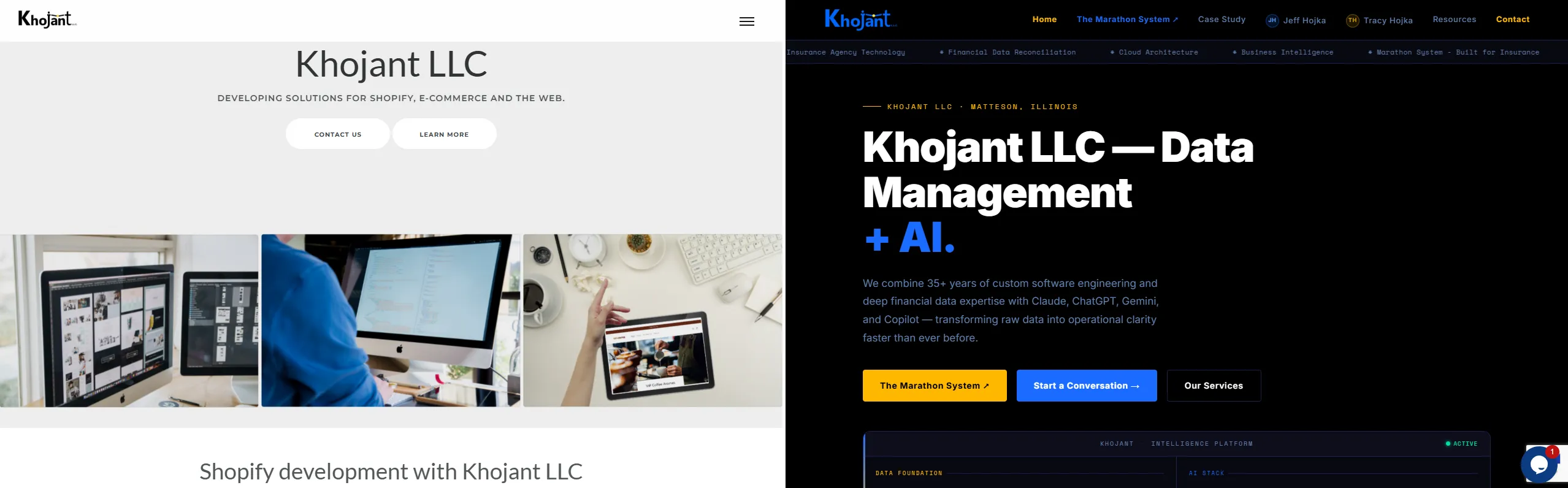
// Left: original Webflow site — Right: AI-assisted redesign · Same business, completely different execution
// time.and.cost.analysis
Time & Cost Analysis
What It Actually Took
Jeff completed the site in 3 days. His personal time was spent directing the AI tools, reviewing and refining outputs, supplying brand and content requirements, and quality-checking every page — estimated at 12–20 hours of directed effort, with the AI tools handling code generation and content drafting. The only direct tool costs were AI subscriptions at approximately $20/month per tool.
Side-by-Side Comparison
| Metric |
✓ With AI Tools |
✗ Without AI Tools |
| Total calendar time | 3 days | 4–10 weeks (agency) |
| Direct human hours | ~12–20 hrs (direction) | 80–200+ hrs (agency team) |
| Roles required | 1 (Jeff) | Designer + developer + copywriter |
| Custom design | AI-generated, Jeff-directed | $3,000–$8,000 designer fee |
| 12 pages developed | AI-generated HTML/CSS/JS | ~$500–$1,200/page = $6,000–$14,400 |
| Light/dark mode | Built in from day one | Often charged as add-on ($500–$1,500) |
| SEO infrastructure | Schema, sitemap, meta — included | $800–$2,500 add-on service |
| CMS / platform fees | $0 — pure HTML/CSS/JS | $30–$300+/month ongoing |
| Total estimated effort | ~12–20 hrs (Jeff's time) | 80–200+ hrs professional team |
Estimated Cost Without AI
| Work Stream | Est. Hours | Est. Cost |
|---|
| UX design & visual design (designer @ $80–$150/hr) | 20–40 hrs | $2,000–$6,000 |
| Front-end development — 12 pages (developer @ $90–$150/hr) | 40–80 hrs | $4,500–$12,000 |
| Light/dark mode & animations (add-on) | 5–12 hrs | $600–$1,800 |
| Copywriting & content (copywriter @ $60–$120/hr) | 10–20 hrs | $800–$2,400 |
| SEO setup — schema, sitemap, meta, GA4 | 5–10 hrs | $600–$1,500 |
| QA, cross-browser testing, revisions | 5–15 hrs | $500–$1,500 |
| TOTAL | 85–177 hrs | $9,000–$25,200 |
// feature.spotlight
Feature Spotlight: Automatic Light & Dark Mode
One of the most technically polished aspects of the new site is its automatic light and dark mode system. Rather than requiring visitors to toggle a switch, the site reads the operating system or browser color preference set by each user — and adapts its full visual theme instantly and silently.
This was implemented using the CSS prefers-color-scheme media query combined with CSS custom properties (variables), so a single change in the root definition ripples through all 11 stylesheets simultaneously. Every color, background, border, text shade, and surface adapts — including comparison tables, code blocks, navigation, and footer — with no JavaScript required for the theme switch itself.
Why It Matters
As of 2025, the majority of desktop and mobile users have dark mode enabled by default on their devices. A site that adapts automatically delivers the right visual experience to every visitor without asking them to configure anything — a small detail that signals professional polish.
What It Took
Implementing this correctly across 12 pages and 11 stylesheets required careful CSS variable architecture from the start — a design decision Jeff directed and Claude executed. Done as a retrofit to an existing site, this kind of theming system is frequently quoted by agencies as a $500–$1,500 add-on. Here it was built in from day one at no additional cost.
Both Modes — Full Desktop
Neither mode is an afterthought. Both the dark and light versions are fully designed — every color, surface, border, and text shade adapts. Scroll within each frame to explore the complete site in both themes.
🌑 DARK MODE
khojant.com — dark mode

⤢ View Full Page
☀️ LIGHT MODE
khojant.com — light mode
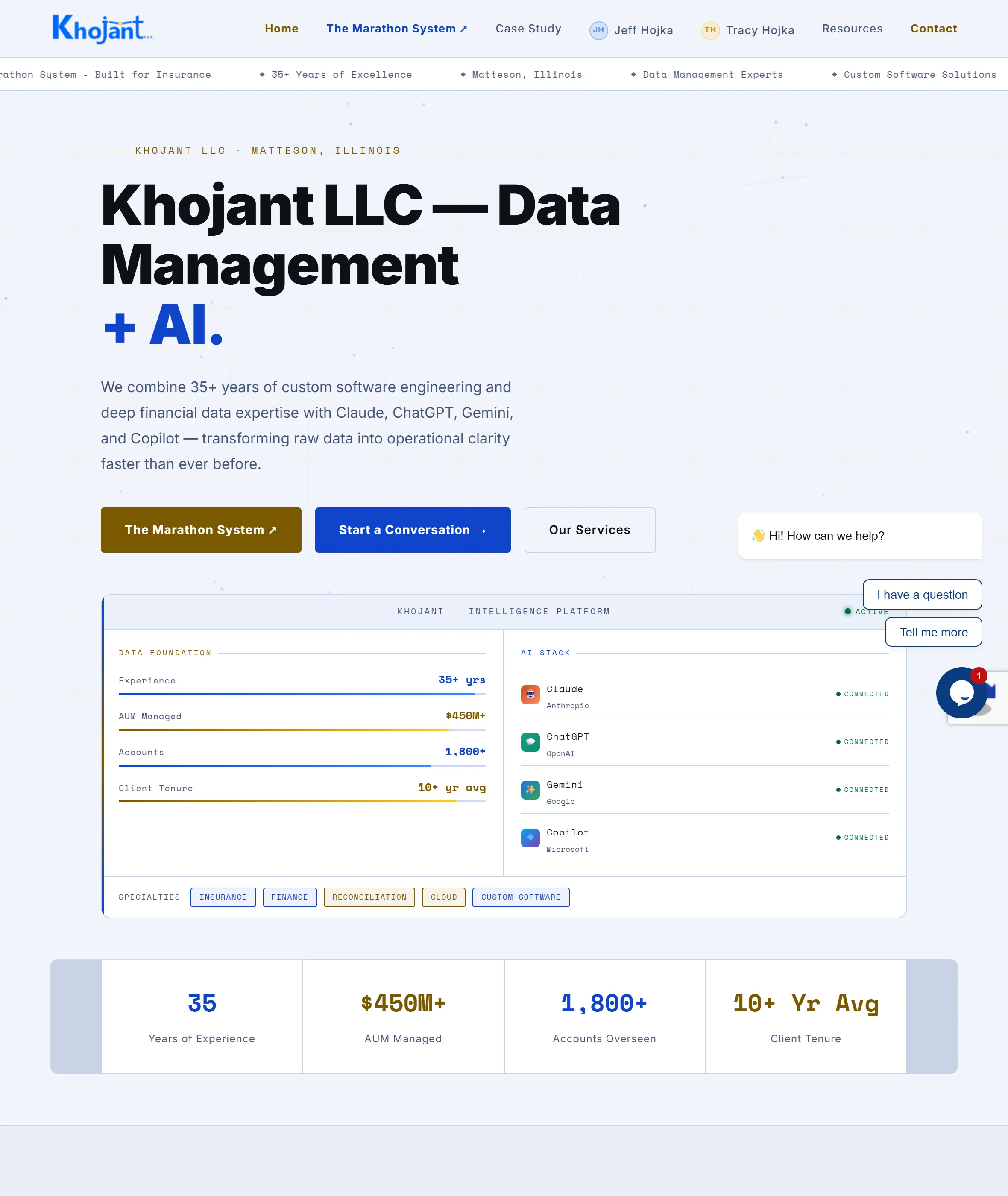
⤢ View Full Page
// Same site, same code — the browser preference determines everything. No toggle, no JavaScript, no user action required.
Light Mode — Mobile
The adaptive theme works identically on mobile. A visitor with a light mode device sees a fully considered light experience — not simply an inverted dark theme.
☀️ LIGHT MODE · MOBILE
khojant.com — light · mobile
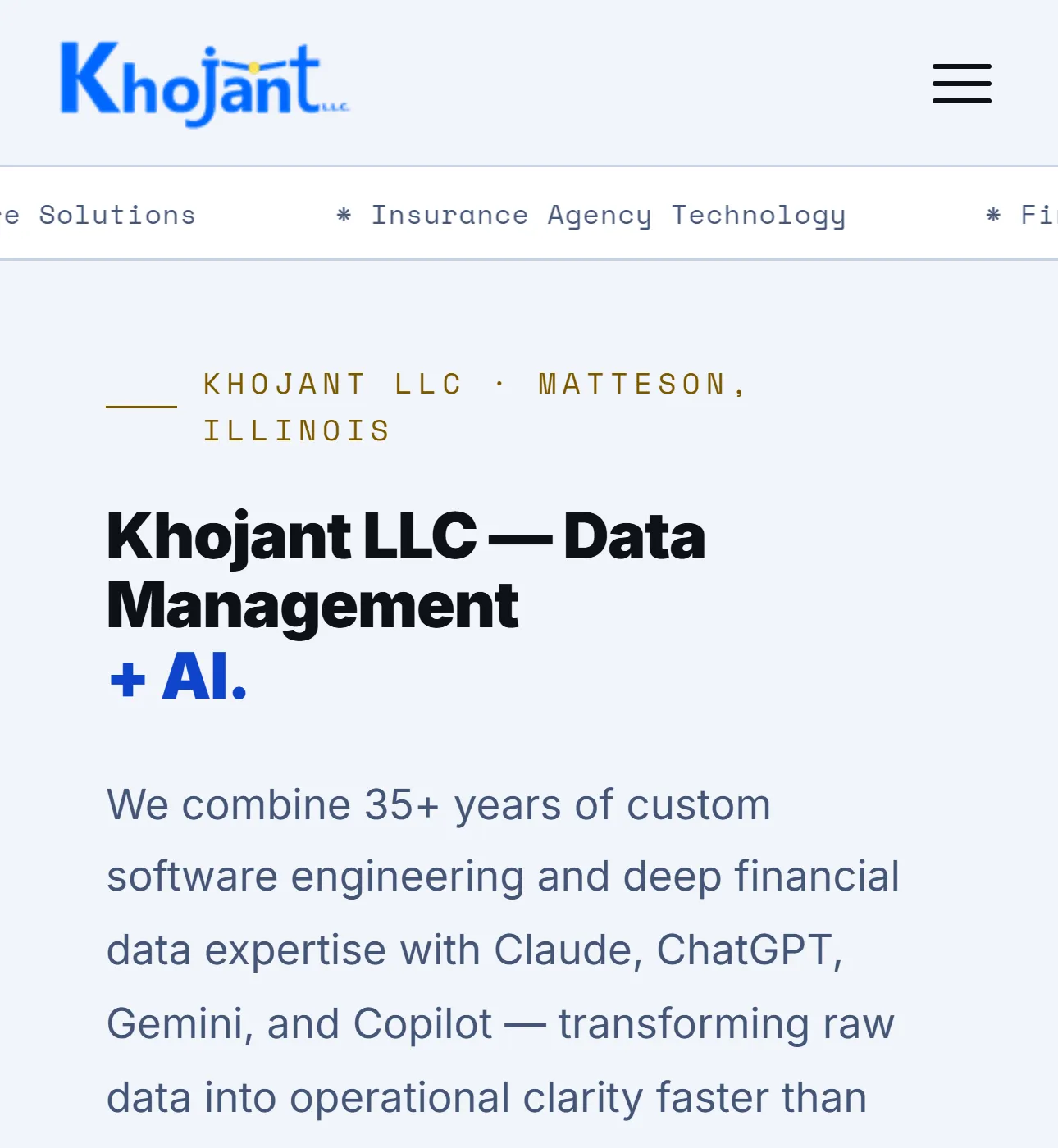
⤢ Full Page
// Light mode on mobile — fully responsive and fully themed, adapting to whatever device and preference the visitor brings.
// expert.assessment
Assessment: Jeff's Ability to Direct AI
A professional-quality website built in 3 days by a single developer using AI tools is a meaningful result — but it did not happen automatically. The quality of what was produced reflects specific skills Jeff brought to the project.
What Jeff Did Well
1. Choosing the right tool for each job
Rather than relying on a single AI, Jeff deployed ChatGPT, Gemini, and Claude according to their respective strengths — ideation, research, and code generation. This multi-tool approach is a more sophisticated use of AI than defaulting to one assistant for everything, and it produced better outputs at each stage.
2. Starting with architecture, not aesthetics
Jeff directed the AI to establish the shared component architecture — the nav, footer, shared CSS variables, and JavaScript framework — before building individual pages. This decision meant that every page inherited a consistent foundation, making the site maintainable and visually coherent across all 12 files.
3. Supplying precise business context
The site accurately reflects Khojant LLC's actual services, client profile, team, and technical positioning because Jeff supplied that context directly. Generic AI prompts produce generic websites. Jeff's ability to translate real business knowledge into AI direction is what separates this result from a template.
4. Maintaining a consistent quality bar
Jeff reviewed every page output, identified gaps, and pushed for refinements before moving on. The finished site reflects iterative quality control — not first-draft acceptance. That discipline is visible in the consistency of the design system across all 12 pages.
5. Building for zero ongoing platform cost
By directing the AI toward pure HTML/CSS/JS rather than a CMS platform, Jeff eliminated all ongoing subscription costs. The site runs on standard web hosting with no platform fees, no plugin dependencies, and no vendor lock-in — a deliberate technical decision with long-term cost implications.
6. Thinking ahead to SEO and discoverability
JSON-LD schema markup, Open Graph tags, Twitter Card meta, a complete XML sitemap, and a robots.txt file were all included from the start — not as afterthoughts. Having them in place from day one means the site is correctly indexed and shareable without retrofitting.
Areas to Build On
Documented prompt library
Saving the most effective prompts used for page generation creates a repeatable playbook for future updates, new pages, or similar projects — compressing the learning curve further each time.
Automated accessibility audit
Running the finished site through an automated WCAG checker (e.g., axe DevTools or Lighthouse) will surface any contrast or ARIA issues introduced during AI-generated code, ensuring the site meets accessibility standards across both light and dark themes.
Version-controlled source
Moving the site files into a Git repository provides a clear change history, enables safe experimentation, and makes it straightforward to roll back any future AI-assisted update that doesn't land as expected.
// broader.implications
Broader Implications
This project illustrates a shift in what a single experienced developer can produce when AI tools are incorporated intelligently into the workflow. The constraint was never the AI's ability to write HTML or CSS. The constraint — and the source of the project's quality — was Jeff's ability to direct the AI with precise requirements, sound architectural instincts, and a clear picture of the end result.
For small businesses, professional services firms, and independent developers, this case study demonstrates a repeatable pattern: a single domain expert who learns to direct AI effectively can produce a site that rivals agency deliverables, in a fraction of the time, at a fraction of the cost. The barrier to entry for a professionally built web presence has dropped significantly — but the skill of directing AI toward a quality outcome remains the limiting factor.
For prospective Khojant clients, this project is also a direct demonstration of how Khojant operates. The same discipline Jeff applied here — breaking a problem down, supplying precise context, maintaining quality standards, and iterating until the output is right — is exactly how Khojant approaches data management, custom software, and systems work. A developer who can build a production website in 3 days using AI is the same developer you want designing your data architecture, reconciling your financials, and building the systems your business runs on.
// conclusion
Conclusion
"In 3 days, Jeff Hojka built what a professional web agency would take 4–10 weeks and $9,000–$25,000+ to deliver. He did it by combining 35+ years of technical judgment with three AI tools — using each where it was strongest, supplying the real business context that makes AI output useful, and maintaining a consistent quality standard throughout. The result is a custom, platform-independent website with automatic light and dark mode, full SEO infrastructure, and zero ongoing platform fees. That is a genuine, measurable, lasting result — and a clear signal of what becomes possible when an experienced developer learns to direct AI with precision."